
Name-Based Case Searches
Martin County's public starting point is the free North Carolina Judicial Branch Portal. Its Smart Search prompt asks for a record number or a name typed Last, First Middle Suffix. Anyone may search anonymously. Public court information stays visible without an account. Registering only adds the My Cases save feature. It does not open sealed or otherwise restricted files.
For a name search, run the basic version first and narrow a broad statewide return from there. The Portal accepts party name, record number, citation number, attorney bar number, attorney name, business name, case cross-reference number, and nickname. One party name can pull up several cases. Confirm the court, case type, and case number before treating a Case Summary as the Martin County matter you want.
- Open Smart Search in the North Carolina Judicial Branch Portal and choose the published search type that matches the information in hand.
- Enter the name in the documented last-name-first format. For a name wildcard, use at least three last-name characters and an asterisk, plus at least one first-name character and an asterisk.
- Use Advanced Filter Options to choose Martin County where offered, then narrow by case type, status, party criteria, or filing-date range.
- Open the matching public result and read its Case Information, Case Events, Hearings, and Dispositions panels rather than relying on the list row alone.
Public returns hide the birth month and day. They display xx/xx while keeping the year, where the published Portal rules allow, so results can still be narrowed.
Martin County Case Search Filters
Why does a short Martin County case search sometimes beat a long one? The Portal's filters explain it. A basic criterion is required, while the Advanced Filter Options cannot stand alone. Location, Party Search Criteria, Date of Birth, Case Type, Case Status, and Case Filing Date Range come in afterward, trimming the result set once the initial search has run.
| Portal field | Type | Required | Martin County use |
|---|---|---|---|
| Smart Search basic criteria | Text or search selector | One criterion | Enter a record number or a party name. |
| Advanced Filter Options | Expandable control | Optional | Use after a basic search to narrow statewide results. |
| Location | Dropdown or filter | Optional | Select Martin County where the live options offer it. |
| Filter by Case Type | Dropdown | Optional | Published groups include Civil Actions, Special Proceedings, Estates, and Criminal Actions. |
| Case Status | Dropdown | Optional | Choose it after the case type to reduce a large return. |
| Case Filing Date Range | Date range | Optional | Use a supported range when the filing period is known. |
Smart Search can feel confusing at first. The Judicial Branch's Portal training resources walk through its functions and filters. Because the interface serves the whole state, a Martin County location filter keeps local court records apart from similarly named cases elsewhere in North Carolina.
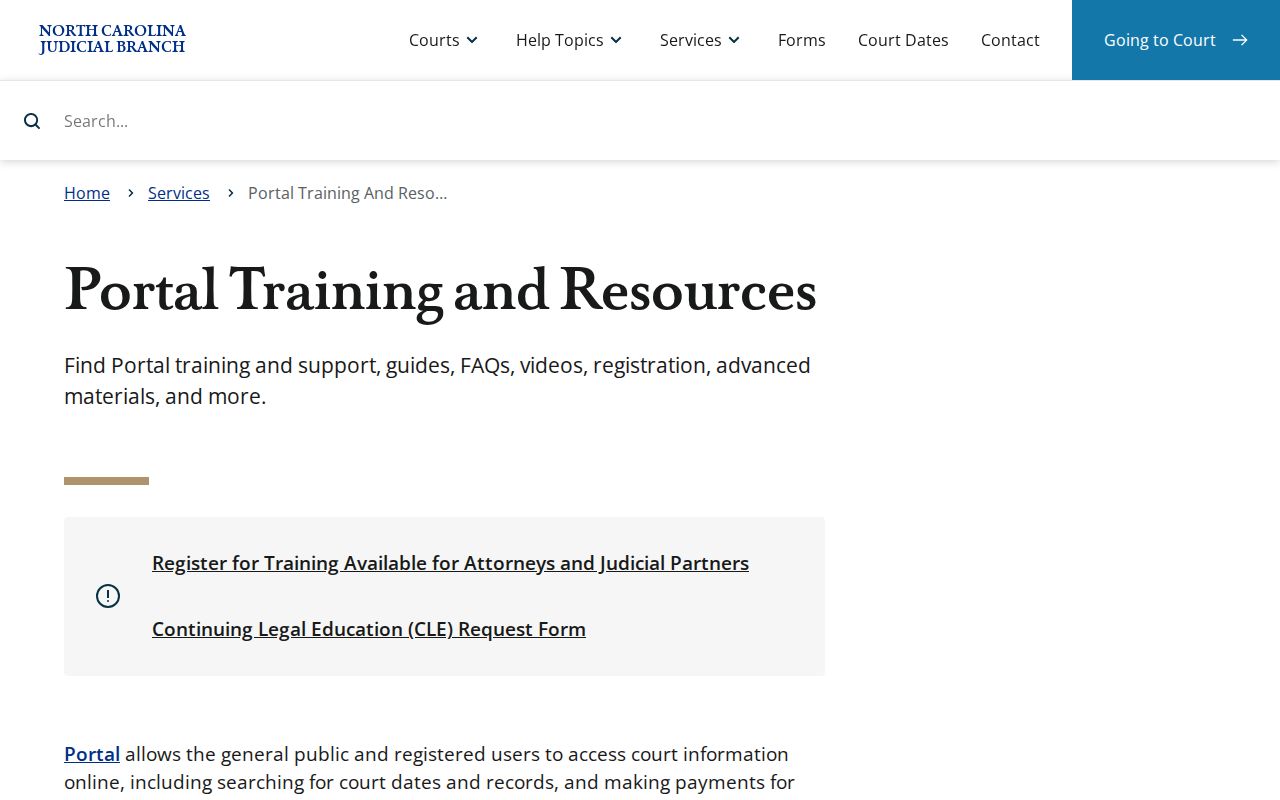
The training view makes one point clear: Smart Search, hearings, payment, and judgment functions are separate tools inside the same public Portal.
Case Number Searches
A full case number is usually the fastest key for a Martin County case lookup. Enterprise Justice numbers start with a two-digit year. Then come case-type letters, a six-digit sequence, and a three-digit county identifier. NCAOC gives 21CR000003-910 as an example of the state format. That string is a format illustration, not a Martin-specific court record. Copy the number exactly from the citation, notice, calendar, or Portal result whenever you can.
Wildcard searches in a record number need at least four characters. Those characters are followed by *, per the published guidance. Keep in mind that a case number identifies the docket entry. It does not make every attached document public. Open the Case Summary and check whether the visible information matches the case you meant.
Martin County Case Search Result Limits
Smart Search stops at 200 results. When a common name pulls a long list of Martin County cases, that cap matters. Add the Martin County location. Then add a case type or a filing-date filter to trim the docket search down. And remember, a short list does not prove every matching case came back.
- Case Summary
- Portal's detailed public timeline, also described by NCAOC as a Register of Actions.
- Case Events
- The chronological activity recorded inside the Case Summary.
- Disposition
- The outcome or status panel shown where public and applicable.
Skip the advanced Party Name option for a docket search. The official guide advises against it because it shrinks results and allows no wildcard searching. The basic method works better, and you can narrow the results step by step once they load.
Case Search Results Explained
A public Smart Search can return two things. One is a Case Summary; the other is a Register of Actions, both in near-real time. What you actually see depends on the case type and access limits. According to the published guide, the docket may include Case Information, Assignment Information, Party Information, Case Events, Hearings, Dispositions, and Financial Information where applicable. Some fields stay hidden. Civil, family, probate, and mental-health matters can also show causes of action. That applies when they remain public.
| Case Information | Identifies the public case record and its number, such as 21CR000003-910 in the state format. |
|---|---|
| Assignment Information | Shows the court assignment where the public record permits display. |
| Party Information | Lists parties and roles to the extent public access permits. |
| Case Events | Provides the chronological activity that forms the Case Summary timeline. |
| Hearings and Dispositions | Shows hearing information and an outcome or status panel when applicable. |
| Financial Information | May appear where applicable; public detail varies by record and law. |
A docket entry does not mean the underlying document image is public. Some filings stay visible. Sealed, confidential, or sensitive material never comes through the Portal.
Martin County Case Search After Migration
Martin County moved onto eCourts on February 5, 2024. That shift changed where a docket search has to happen. North Carolina finished its statewide switch to Enterprise Justice on 2025. That system is known as Odyssey, and the switch was complete on October 13, 2025. Older records from ACIS, VCAP, OCAP, CCIS, PayNCTicket, and related systems were converted during the process. Still, the Portal FAQ warns that an older paper file may sit with the local clerk. So a Martin County case lookup that returns nothing usable is not the end. It is not the end of the road.
Work the problem in order. Check the name or case number format first, along with the filters you applied. If the docket still comes up empty, ask the Martin County Clerk of Superior Court about older files. Ask whether a paper or electronic file can be inspected or copied under the access rules that apply. A blanket public-record request to a state agency will not substitute. It cannot replace a proper request aimed at the local court file.
Martin County Case Search Alias Results
The Portal will match known aliases, yet it never shows a name history. So a Martin County case search may hand you a hit filed under an alias. There may be no hint of a prior name. Check the case number, the court assignment, the parties, and the Case Events. Do that before you trust that the file is the right one.
One gap matters here: there is no charge-only search on the Portal. Start instead with a citation number, a party name, a record number, or another Smart Search type the site publishes. When those identifiers cannot separate one file from another, the Martin County Clerk holds the lawful route. That route runs to local records.
Two Ways to Search: County and State
Martin County runs no separate search vendor of its own. Its docket search happens through the Judicial Branch Portal, the statewide public layer. The Martin Clerk serves as the local fallback. For scheduling, the county points to distinct civil and criminal calendar pages. Just remember: a calendar entry is not a full Case Summary of a court docket.
| Channel | What it provides | Best use |
|---|---|---|
| North Carolina Judicial Branch Portal | Free public Smart Search, Search Hearings, eligible payments, and NC Judgment Search. | Locate a public case and read its available Case Summary. |
| Martin civil calendar | Civil calendar results for Martin County. | Check a civil scheduling path, then corroborate with the case record. |
| Martin criminal calendar | Criminal calendar results for Martin County. | Check a criminal or traffic scheduling path, then confirm any change. |
| Martin County Clerk of Superior Court | Local case files, inspection, copies, and historical paper-file help. | Obtain official records or resolve an online search problem. |
Martin County Case Search Fallbacks
A no-match in a Martin County case lookup does not mean the case is absent. It can stem from a typo, a name format error, or a record that simply is not in the system yet. Older paper files and restricted case types stay off the Portal too. No search result ever proves that no case exists.
When a Martin search fails: Keep the exact name, case number, citation number, court assignment, and event date available. Call the Martin County Clerk of Superior Court at (252) 809-5100 for file or copy instructions, use a public self-service terminal at a clerk office, or inspect a public paper or electronic file as law permits.
You can reach the Martin courthouse at 305 E Main St, Williamston, NC 27892. Mail goes to PO Box 807, Williamton, NC 27892. When you need official copies rather than a view-only Portal display, the clerk is the route that matters.
Which Cases Stay Restricted
The Portal opens public court information, not every court record in the file. Its published FAQ lists restricted examples. Those include criminal warrants not returned, juvenile case records, and protected-order information. Sealed or confidential documents and other sensitive material stay out of public Portal access. Birth month and day are masked. Social Security numbers never appear in public returns.
Two statutes frame this for a Martin County court docket. G.S. 7A-109 keeps clerk-maintained files and dockets open for inspection unless a law blocks access. G.S. 132-11 preserves the limits for sealed court records. It also covers confidential juvenile records, Social Security numbers, and other protected categories. A Portal filter reading Pending Expungement is not proof an expunction was granted. Questions about lawful access to a restricted Martin County file go to the clerk. They can go to the court as well.
Note: Domestic-violence cases can carry restricted public online data elements. That can happen even when the rules let an affected party use a clerk-directed route.
Martin County Case Search Access Levels
The public Portal is free. No account is needed for Martin County court records the court opens to everyone. Registering does have one perk: a case you check often can be saved in My Cases for quick return trips. That is all it does. Sealed files, restricted case types, and sensitive details stay off limits either way, so a login never changes what a Martin County case search can show you.
When the law allows higher access, the path runs through the court rule and the clerk's procedure, not through the Portal. And a search result is not permission. Treat nothing you pull from the public Portal as authority to demand restricted documents from the Martin County Clerk.
Martin County Case Search and Judgments
NC Judgment Search is a second Portal function. It works alongside Smart Search, not in place of it. You can query by party name or case number. Then narrow results with filters for case type, status, location, and judgment date. What comes back is an index entry. It carries the case number, disposition status, index date and time, the parties, and any judgment comments tied to the record.
That index is a starting point, not the whole file. Once you spot a judgment worth pursuing, switch over to Smart Search. That pulls the full public Case Summary. The two-step habit matters. Reading an index line as the complete story of a Martin County court case is the most common way to miss what the docket actually says.
Martin County Case Search Is View Only
Think of the Portal as a window, not a mailbox. It handles searching, viewing, hearings, eligible payments, and judgment lookup for Martin County court records. It does not accept filings. Documents go through the separate North Carolina eCourts File & Serve product. Or use Guide & File where that fits. Saving a case in the Portal changes nothing on the docket. It submits nothing to the clerk.
The File & Serve application is the official filing tool for the Enterprise Justice system. Keeping the two straight is simple once you know the split. The Portal tells you what happened; the filing product is where litigation work gets done.
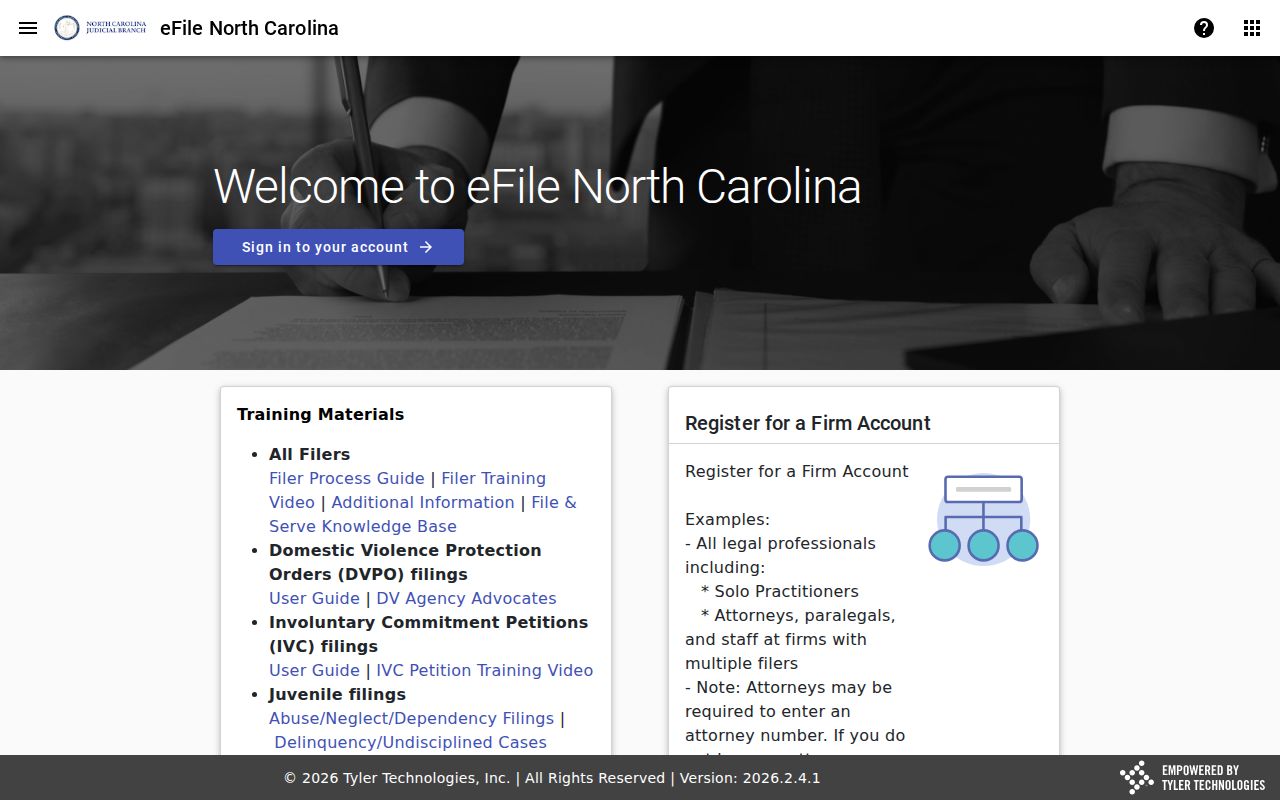
The state eCourts services image shows the technology behind both tools. Public viewing through the Portal and formal electronic filing stay separate roles, even inside one connected system.